
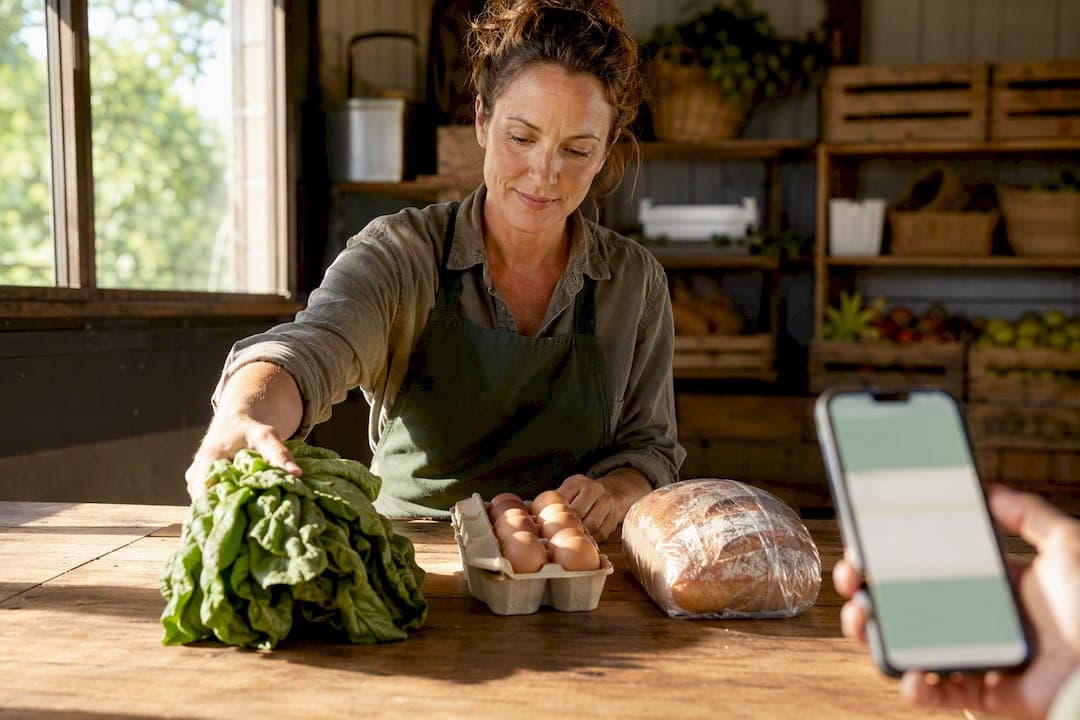
A digital farm stand is an online storefront on a community marketplace where you list and sell what you grow, bake, or make to buyers nearby. You do not need a website or a delivery fleet to start one. Create a storefront on a platform like Harvest Hub, add three products with photos and prices, set one weekly pickup window, and you are open for business.
TL;DR:
- Most producers can create a viable digital farm stand by adding three products, setting a pickup schedule, and linking payouts within a few hours.
- Clear, well-lit photos and detailed descriptions that answer common buyer questions significantly increase the chances of making a sale.
- Weekly planning should follow harvest time, with updates on Mondays, pre-order cutoffs on Wednesday, and pickups scheduled for Friday or Saturday.
- Verification of payment accounts usually takes one to two business days, but product listings can go live beforehand; tracking sales, costs, and repeat buyers helps assess growth.
- Community marketplaces with verified profiles and reviews outperform standalone websites in trust and revenue, making platforms like Harvest Hub an efficient launchpad.
Table of Contents
- What Is a Digital Farm Stand, and How Do You Set One Up?
- How Do You Write Product Listings That Actually Sell?
- Building a Weekly Pickup and Pre-Order Schedule
- How Long Does It Take to Get Paid?
- How Do You Get Local Buyers to Find Your Stand?
- Keeping Buyers in the Loop Without Drowning in Messages
- What Legal Rules Apply to Selling Farm Products Online?
- How Should You Protect Buyer and Business Data?
- Which Numbers Should You Track Each Week?
- Why Community Marketplaces Beat Building Your Own Website
- Ready to Open Your Own Digital Farm Stand?
- Sources
What Is a Digital Farm Stand, and How Do You Set One Up?
Most producers overthink the launch. You do not need a logo, a business plan, or a month of prep. You need a profile, a few products, and a way to get paid.
Here is the order that actually works, based on how small local storefronts get producers taking orders fast rather than perfectly:
- Create your account and complete your profile. Fill in your name, a short description of what you grow or make, your general pickup area, and your hours. Buyers browsing nearby stands decide in seconds whether to click, and a vague or empty profile gets skipped.
- Add three starter products. Pick your best sellers or whatever is peaking right now. Each listing needs a photo, a short description, a price, and an inventory limit so you never promise more than you have.
- Connect your payouts. This usually means linking a bank account through a payment processor. Setup guides for farm storefronts walk producers through adding products and connecting payouts as one of the first steps, and bank verification typically takes one to two business days.
- Set your weekly rhythm. Decide when you open orders, when you cut them off, and when buyers pick up. Write it down. Consistency is what turns a one-time buyer into a regular.
- Estimate your first week's cost. Budget for a platform subscription plus standard card processing fees. Most producers spend less on their first month than they'd spend on a single farmers market vendor fee.
You can realistically finish steps one through four in a single sitting. The people who stall out are the ones trying to build a full product catalog before opening. Don't. Three items and a pickup date beat forty items and no launch date.
How Do You Write Product Listings That Actually Sell?
A blurry photo and a one-word title ("Eggs") will get scrolled past. Buyers on a community marketplace are comparing your stand to five others in their feed, and clarity wins more often than variety.
Photos:
- Shoot in natural light, ideally morning or late afternoon, never under a harsh overhead bulb.
- Use a 4:3 aspect ratio when your platform allows it. Product photos display best at that ratio on most marketplace layouts.
- Take at least two shots per item: one close-up showing texture or freshness, one showing the full quantity a buyer will receive.
Descriptions should answer the questions buyers actually have: weight or count, how it's stored, how long it keeps, any allergens if it's baked or processed, and where and when pickup happens. A dozen eggs described as "large, brown, from pasture-raised hens, refrigerate on pickup" tells a buyer everything in one line.
Pricing: Match or slightly beat what buyers would pay at a grocery store for comparable quality, and reserve some inventory for pre-orders versus walk-ins so you don't sell out online before your Saturday regulars show up.
Pro Tip: Set your inventory limit slightly below what you expect to harvest. Selling out with a clean "Sold Out" label builds more trust than quietly running short and disappointing a buyer who already paid.
Building a Weekly Pickup and Pre-Order Schedule
Your fulfillment rhythm should follow your harvest, not fight it. Producers who succeed with a weekly schedule tend to use a version of this pattern:
- Monday: Update what's available for the week based on what's ready or nearly ready.
- Wednesday evening: Close pre-orders so you know exactly what to harvest, bake, or pack.
- Friday or Saturday: Open a dedicated pickup window, staged and labeled by buyer name to keep the line moving.
This cadence cuts waste because you're not guessing at demand, and it prevents the overselling that happens when orders trickle in with no cutoff. If you're weighing whether to offer short-distance delivery on top of pickup, the cost and time tradeoffs are worth mapping out before you commit; see how pickup and delivery compare on cost, speed, and quality. Keep a small buffer of stock held back from pre-orders for walk-in buyers, and set a simple no-show policy, like releasing unclaimed orders after a fixed window, so unpicked produce doesn't just sit and spoil.
How Long Does It Take to Get Paid?
Connecting payments is usually the fastest part of setup and the part producers worry about most. Once you link a bank account through your platform's payment processor, verification commonly takes one to two business days.
- You can create and publish product listings before verification finishes.
- Checkouts, however, may be blocked until your payout account is fully verified, so don't wait until launch day to connect it.
- A typical processing fee runs around 2.9% plus $0.30 per transaction. On a $15 order, that's roughly $0.74, worth factoring into your pricing on smaller-ticket items.
Keep a simple spreadsheet or notebook tracking gross sales, fees, and net payout. If you're unsure whether your state requires sales tax collection on food items or whether you can accept SNAP/EBT, check with your state's department of agriculture before your first sale, since rules vary by product type and by state.
How Do You Get Local Buyers to Find Your Stand?
You don't need a marketing budget. You need one link and a habit of sharing it everywhere a neighbor might see it.
- Generate a QR code for your storefront's ordering link and put it on market signage, your booth table, and your social media bios.
- Ask every single buyer, in person or online, to follow your stand or sign up for updates. Consider a small first-order incentive, like a free herb bunch, to nudge fence-sitters.
- Feature one or two items each week with a note like "only 6 left for Saturday pickup" to create urgency around your cutoff.
- Post your weekly availability in local community groups, share it at your farmers market booth, and mention it in any email list you already have.
Using your farm stand as a pickup point for online orders, alongside your regular in-person sales, is one of the more effective ways to convert walk-in customers into repeat online buyers.
Pro Tip: Print your QR code big enough to scan from six feet away. A tiny code on a business card gets ignored; one taped to your booth banner gets scanned mid-conversation.
Keeping Buyers in the Loop Without Drowning in Messages
Buyers want to know two things: is my order confirmed, and when do I pick it up. Automated notifications for order confirmation, cutoff reminders, and pickup-ready alerts handle most of that without you lifting a finger.
For the questions that don't fit a template, like "can I swap the kale for chard," set a simple response window, even something as loose as "I reply to messages by evening," so buyers know what to expect instead of wondering if you saw their note. A short, honest response beats a fast but vague one.
If you sell perishables, flag order changes and cancellations early. A buyer who finds out at pickup that their strawberries didn't make it is far less forgiving than one who got a heads-up two days before. Batch your inquiry-checking into one or two times a day rather than constantly refreshing your phone. Most questions repeat: storage instructions, substitution requests, pickup location. Write short answers to your five most common questions once, then copy and paste as needed. It saves time and keeps your tone consistent across buyers.
What Legal Rules Apply to Selling Farm Products Online?
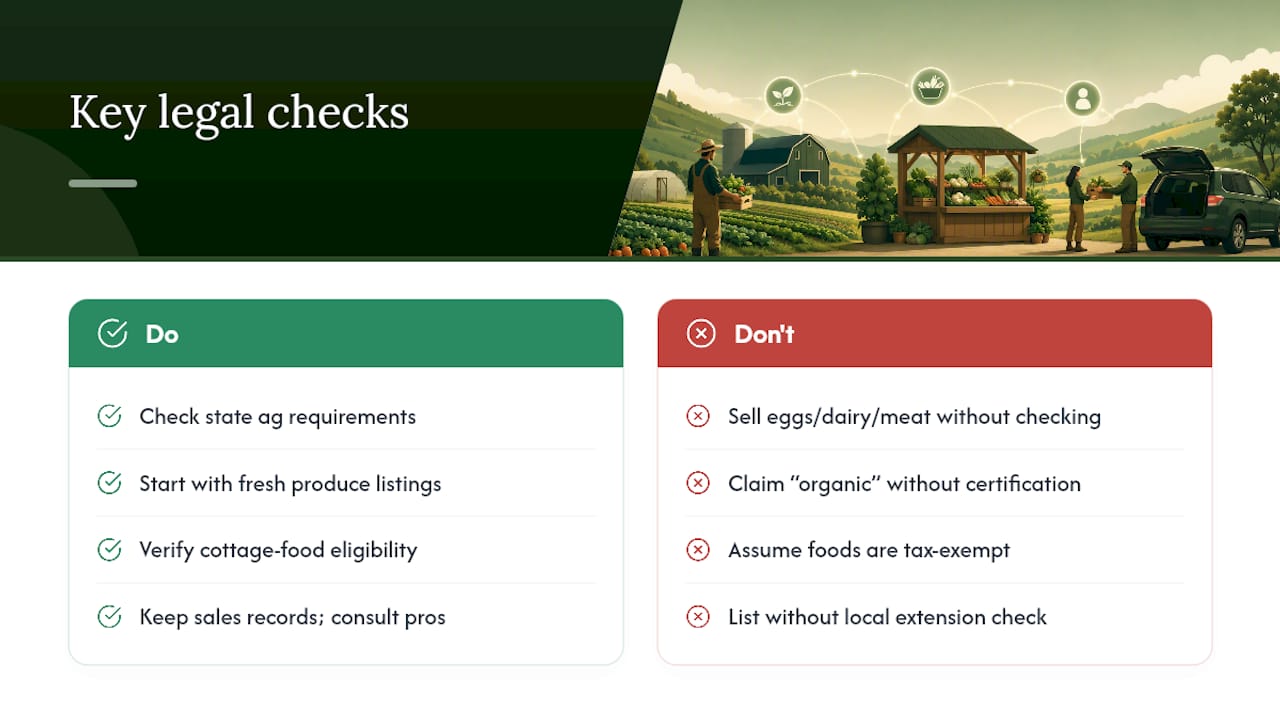
Rules for selling food and farm goods vary by state and by product type, so treat this as a starting point, not a substitute for checking your own state's requirements. Raw produce typically faces fewer restrictions than processed or baked goods, which often fall under cottage food laws that set limits on what you can sell direct-to-consumer without a commercial kitchen license.
Eggs, dairy, and meat usually carry additional licensing or labeling requirements, and those requirements differ enough between states that a blanket answer would be misleading. Check with your state's department of agriculture or a local extension office before listing anything beyond fresh produce and cottage-food-eligible baked goods.
Sales tax treatment of food items also varies by state and sometimes by product category within a state. Some states exempt raw agricultural products but tax prepared foods differently. Keep records of what you sell and consult a tax professional or your state revenue department if you're unsure how your products are classified.
Finally, be upfront in your listings about how items were grown or raised. Claims like "organic" carry legal weight if you're not certified, so stick to accurate, specific language, like "grown without synthetic pesticides," if you haven't gone through formal certification.
How Should You Protect Buyer and Business Data?
Your digital farm stand holds buyer names, addresses or pickup details, and payment information, even if you never see full card numbers directly. Treat that data with the same care you'd want a business to treat yours.
Use a platform that handles payment processing through a recognized processor rather than collecting card details yourself. This keeps sensitive payment data off your own device entirely, which matters if your phone or laptop is ever lost or compromised.
Keep your account password unique and enable two-factor authentication if your platform offers it. Avoid sharing your login with family members helping out at the stand. Instead, use any team or collaborator features your platform provides, so you keep a clear record of who changed what.
Be cautious with buyer information outside the platform. If you export a customer list for a personal email newsletter, tell buyers you're doing it and give them an easy way to opt out. A little transparency here goes a long way toward keeping buyer trust intact, and it keeps you clear of most basic privacy expectations without needing a lawyer.
Which Numbers Should You Track Each Week?
You do not need a dashboard full of metrics. You need three or four numbers, checked weekly, that tell you whether your stand is working.
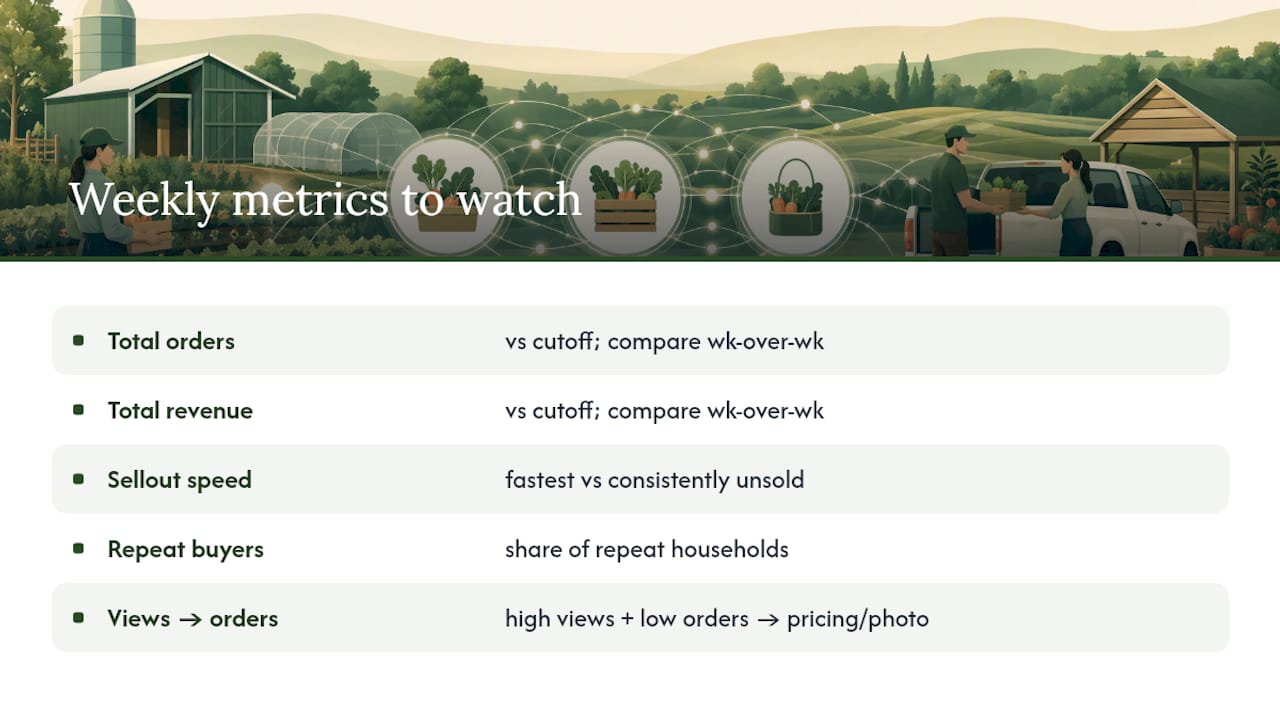
Track total orders and total revenue against your cutoff each week, and compare it to the week before. A slow decline over three or four weeks tells you something changed, maybe your featured items got stale, maybe a competitor's stand opened nearby.
Watch which products sell out fastest versus which ones consistently sit unsold. That's your signal to shift what you grow or bake, or at least how you price and photograph the slow movers.
Keep an eye on repeat buyer rate. A stand where the same dozen households order every week is more stable than one that constantly chases new one-time buyers. If your platform shows profile views versus actual orders, a high view count with low conversion usually points to a pricing or photo problem, not a demand problem.
Why Community Marketplaces Beat Building Your Own Website
Producers spend hours agonizing over whether they need a real website. In most cases, they don't. Research on digital marketplaces and rural e-commerce backs this up: small producers see real gains in market access and revenue when they adopt e-commerce tools, but the gains show up fastest when the tools come paired with support and a built-in audience, not when a producer builds a standalone site from scratch and hopes buyers find it.
That's the case for a marketplace over a solo website: verified profiles and reviews do the trust-building work a new website can't do on day one. On Harvest Hub, producer stands like myFarmstand.com in Ellington, Connecticut show what a lean, well-photographed listing looks like in practice, while stands like Fruit Stand Farm and Destiny Farm demonstrate the same weekly rhythm applied to different products, from produce boxes to homestead goods. None of them needed custom web development to look credible. They needed a profile, a few honest photos, and a consistent pickup schedule.
— Sheldon
Ready to Open Your Own Digital Farm Stand?
Harvest Hub gives you the storefront, the map visibility, and the review system that a standalone website can't replicate on day one, at a fraction of the time cost of building one yourself. You get a producer profile, unlimited product listings under a paid plan, buyer-following tools, and placement in local map search, all without touching a line of code.
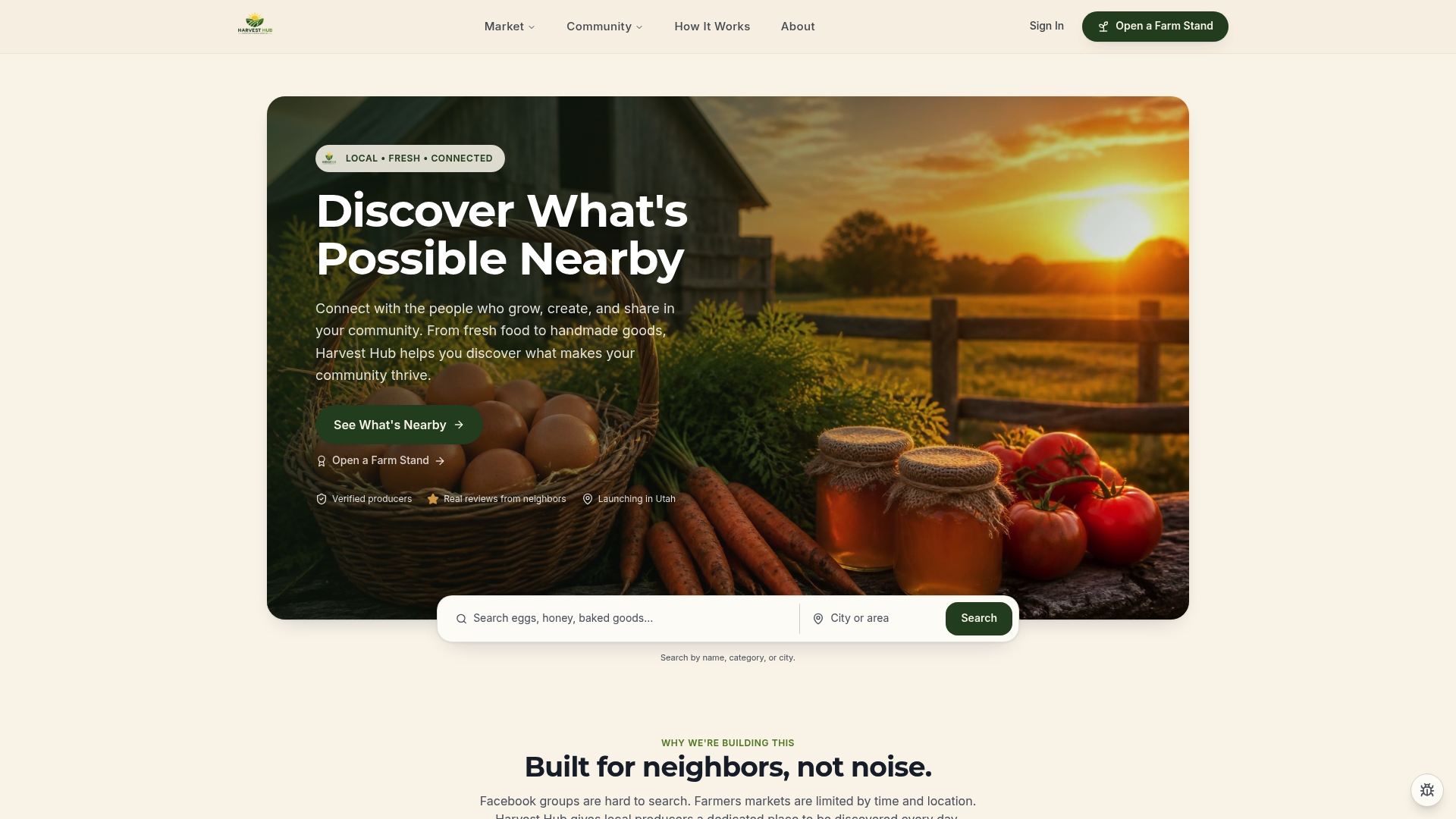
If you've been putting off starting because a full e-commerce build felt like too much, that's exactly the gap Harvest Hub closes. Visit the Open a Farm Stand page to join the early-access program, claim your storefront, and add your first products. Most producers have three listings live and a pickup window set within a single sitting.
Sources
- How to Sell Produce Online as a Small Farm
- Special issue on digital marketplaces and rural e-commerce (ScienceDirect)