

The fastest, most reliable approach to restock notifications is a two-track system: follow brand-direct channels for exclusive or limited drops, and run a dedicated tracker or page monitor for everything else.
Here are the top picks to get started immediately:
- Harvesthub — Follow local producers directly for privacy-friendly alerts on small-batch food, eggs, garden starts, and handmade goods. No third-party tracker needed.
- HotStock or RestockTracker — Push-notification trackers built for high-demand retail items (electronics, sneakers, limited releases). Alerts can arrive in seconds.
- Visualping or Distill.io — Paste any product URL, highlight the availability text, and get emailed or texted when that area changes. Works on almost any public page.
- Retailer built-ins (Amazon, Walmart, Best Buy, Target) — Free and official, but inconsistent. Use these as a baseline, not your only line of defense.
For exclusive drops, brand newsletters, Discord servers, and official social accounts often announce restocks before any tracker catches them. For general retail, a dedicated tracker beats waiting and refreshing.
Key Takeaways
The most reliable restock notification setup combines a push-notification tracker for competitive retail items with direct producer follows for local and small-batch goods.
| Point | Details |
|---|---|
| Two-track system works best | Use a push tracker (HotStock, RestockTracker) for retail and follow producers directly for local goods. |
| Free tiers cover casual tracking | Tools like NowInStock and Visualping offer free monitoring; paid plans add speed and higher page limits. |
| Narrow your monitor area | Highlight only the buy button or availability text to avoid false alerts from unrelated page changes. |
| Watch brand channels for exclusive drops | Newsletters and Discord often announce limited restocks before any tracker detects a page change. |
| Harvesthub for local producers | Follow a local farm stand on Harvesthub for direct, privacy-friendly alerts on small-batch and seasonal goods. |
Table of Contents
- How do restock notification tools compare?
- How do you choose the right restock alert method?
- Step-by-step setup for Amazon, Walmart, Best Buy, Target, and Shopify
- What does "real-time" actually mean, and when do trackers miss restocks?
- A local grower's take on following producers vs. chasing trackers
- Harvesthub for local restock alerts
- Sources
How do restock notification tools compare?
The table below covers the main options across the dimensions that actually matter to shoppers.
A few things the table can't fully capture:
-
Harvest Hub works differently from every other tool here. You follow a specific producer, and when they re-list an item or open a preorder, you get notified. There's no scraping, no extension to install, and no permissions beyond a free buyer account. For local food and craft goods, this is the cleanest setup available. See how it works.
-
HotStock maintains curated catalogs of hard-to-find products and sends rapid push alerts when stock appears at tracked retailers. The mobile app is the main interface, and deep links take you straight to the buy page. Best for electronics and high-demand retail.
-
RestockTracker advertises push notifications that can arrive within seconds of a restock, with deep links directly to product pages. If speed is your single priority, this is the tool to test first.
-
IsInStock auto-detects out-of-stock items via a browser extension and supports thousands of retailers. The extension approach means setup is fast, but you're granting it access to your browsing on those pages.
-
Visualping and Distill.io are general-purpose page monitors. You paste a URL, highlight the specific area to watch (the "Out of stock" label or the buy button), and get alerted when that area changes. They work on any public page, which makes them useful for niche retailers and Shopify stores that no catalog tracker covers. The Visualping blog walks through the exact workflow, including what permissions to check before installing.
-
NowInStock is a free, no-frills tracker that covers major US retailers and sends email or SMS alerts. It's been around for years and has a loyal following on Reddit communities like r/buildapcsales.
-
Retailer built-ins (Amazon, Walmart, Best Buy, Target) are the official source of truth for their own catalogs, but timing is inconsistent. A third-party tracker often beats them on speed for popular SKUs.
On privacy: before installing any browser extension or mobile app, read the privacy policy and check what permissions it requests. Some tools ask for broad account access or browsing history. Visualping and Distill.io are generally considered lower-risk because they monitor public URLs without needing retailer account credentials. Harvest Hub requires only a free buyer account and collects no browsing data.
On vendor transparency: look for tools that publish their polling frequency, list their supported retailers, and have active app store ratings. HotStock and RestockTracker both have mobile apps with visible ratings. NowInStock has a long public track record. If a tool doesn't publish how often it checks pages, treat that as a yellow flag.
How do you choose the right restock alert method?
The right tool depends on what you're tracking and how much it matters if you miss it.
Ask yourself these questions first:
- How rare or competitive is the item? A limited-edition sneaker or a sold-out GPU needs a push-notification tracker. A specialty pantry item can wait for a daily email.
- Is it brand-exclusive or sold through multiple retailers? Brand-exclusive drops often appear on brand newsletters or Discord before any tracker sees them.
- How many items are you tracking? One or two items fit easily on any free tier. Tracking dozens means you'll hit free-tier limits quickly.
- Do you need AutoBuy? No mainstream consumer tracker currently offers reliable AutoBuy for major US retailers. If you see a tool advertising this, verify it works before paying.
Red flags to watch for:
- No published privacy policy
- Requests for retailer login credentials or broad account permissions
- No stated check frequency or polling interval
- Paid-only access with no trial or free tier
- App store reviews mentioning frequent false positives or missed alerts
A simple decision path:
- Tracking a local farm or maker? Follow them on Harvesthub. Done.
- Tracking a limited-edition drop from a specific brand? Sign up for their newsletter and join their Discord or official social. Add a tracker as a backup.
- Tracking a specific SKU at a major retailer (Amazon, Walmart, Best Buy, Target)? Enable the retailer's built-in alert first, then add HotStock or RestockTracker for speed.
- Tracking a niche retailer or Shopify store with no built-in alert? Use Visualping or Distill.io with a narrowly selected page area.
- Tracking many items across many retailers? NowInStock or IsInStock cover the broadest range on a free tier.
Free pollers are fine for low-stakes tracking. If you're competing for something that sells out in minutes, pay for a faster check interval or use a push-notification tracker.
Step-by-step setup for Amazon, Walmart, Best Buy, Target, and Shopify
Amazon
- Navigate to the product page for the out-of-stock item.
- If Amazon offers a "Notify me when available" button, click it and confirm your notification preference in your account settings (email or push via the Amazon app).
- For items without that button, add the item to your Wish List. Some categories trigger availability emails when items return to stock.
- Save your payment method and enable 1-Click ordering in your Amazon account before you need it. The window between alert and sellout can be under two minutes for popular items.
Walmart
Walmart has built-in stock notifications for some products, but coverage is inconsistent across SKUs. A page monitor or a dedicated tracker often provides faster, more consistent alerts for many Walmart items. For the built-in option:
- Find the product page and look for an "Out of Stock" notice with a "Get in-stock alert" or email notification option.
- Sign in to your Walmart account and confirm the alert.
- For items without a built-in alert, copy the product URL and paste it into Visualping or a similar page monitor. Highlight the availability text or the "Add to Cart" button area specifically.
Pro Tip: Narrowing your monitor to just the buy-button area of a Walmart page cuts false alerts from price changes and page redesigns — you only hear from it when the button text actually changes to "Add to Cart."
Best Buy and Target
Both retailers offer back-in-stock or waitlist features for select products, particularly high-demand electronics at Best Buy.
- On Best Buy, find the product and click "Notify Me" if available. You'll receive an email when it returns.
- On Target, look for a "Notify me" option on out-of-stock product pages. Sign in to your Target Circle account to enable it.
- For either retailer, add a third-party tracker (HotStock covers Best Buy well) to catch restocks that the retailer's own system notifies slowly.
Shopify stores
Shopify-powered brand stores often have a "Notify me when available" email field directly on the product page. Enter your email and you'll get an alert from the brand when they restock.
The catch: some brands create entirely new product URLs for restock or preorder events rather than relisting the original SKU. A tracker watching the old URL will miss it entirely. This is especially common with limited-run apparel and specialty food brands. Always check the brand's newsletter, Instagram, or Discord for new links before assuming your tracker has you covered.
Pro Tip: When setting up a page monitor on any site, highlight only the "Out of stock" label or the buy button, not the whole page. Dynamic elements like carousels, review counts, and price badges change constantly and will flood you with false alerts if you monitor the full page.
What does "real-time" actually mean, and when do trackers miss restocks?
"Real-time" in the restock tracking world is a marketing term, not a technical standard. What it usually means is fast polling or push notifications triggered by a detected change, not a live API feed from the retailer.
Dedicated push-notification trackers like RestockTracker and HotStock check product pages frequently and send alerts within seconds of detecting a change. Polling-based tools like Visualping and NowInStock check on a schedule, typically every few minutes on free tiers. The UptimeRobot free back-in-stock tool is a representative example of free-tier limits: up to 50 monitored pages with 5-minute checks, with paid plans offering faster intervals and higher page counts.
The practical gap matters most for items that sell out in under five minutes. For those, a push-notification tracker is worth the upgrade. For items that stay in stock for hours or days after a restock, a free poller is perfectly adequate.
Where trackers fail:
- Retailers sometimes publish a new product URL for a restock or preorder instead of updating the original page. Any tracker watching the old link misses the event entirely.
- Some retailers use JavaScript-heavy pages that polling tools can't read correctly, producing false "out of stock" or "in stock" readings.
- Exclusive or brand-controlled drops are often announced through brand newsletters or Discord before the product page updates. For those, brand-direct announcements are the only reliable early warning.
Page monitors that send visual snapshots and timestamps with each alert help you confirm a real stock change versus a page glitch. That visual diff is a meaningful trust signal when you're deciding whether to drop what you're doing and buy.
Merchant-side tools like WooCommerce Smart Inventory Alerts work differently from consumer trackers. They're built for store owners and offer multi-channel alerts via email, SMS, Slack, and webhooks with configurable threshold rules. If you run a store and need to alert your own customers, that's the category to look at. Consumer trackers are built for the opposite side of that transaction.
Pro Tip: For specialty food items sold in small batches, like organic panela sugar from a small-batch supplier, brand newsletters and direct producer follows are more reliable than any third-party tracker. Small producers often sell out before a tracker's next polling cycle.
A local grower's take on following producers vs. chasing trackers
Most restock guides assume you're hunting a GPU or a limited sneaker. That's a real use case, but it's not the only one.
I grow strawberries and a few other things in my backyard in West Point, UT, and I list them on my Harvest Hub stand when I have something available. What I've noticed from the other side of the transaction is that the buyers who actually get my harvests are the ones who follow my stand directly. They get notified when I re-list, when I open a preorder, or when I post a limited batch. No extension to install, no polling interval to worry about.

That's a fundamentally different model from a third-party tracker scraping a retailer's product page. When you follow a local producer on Harvesthub, the notification comes from the producer, not from a bot detecting a page change. It's faster for small-batch goods because the producer controls when the alert goes out. And it's more private because you're not handing a browser extension access to your shopping behavior across dozens of sites.
For anyone tracking local farms, home bakers, or makers, the follow-based model on a platform like Harvesthub is genuinely more reliable than any general-purpose tracker. The tracker approach shines for broad retail. For local and small-batch, following the producer directly is the cleaner path.
Harvesthub for local restock alerts
The tools compared above are built for retail. Harvesthub is built for the other kind of restock: the dozen eggs your neighbor's chickens just produced, the sourdough loaves a home baker makes twice a week, the flat of tomato starts a backyard grower lists every spring.
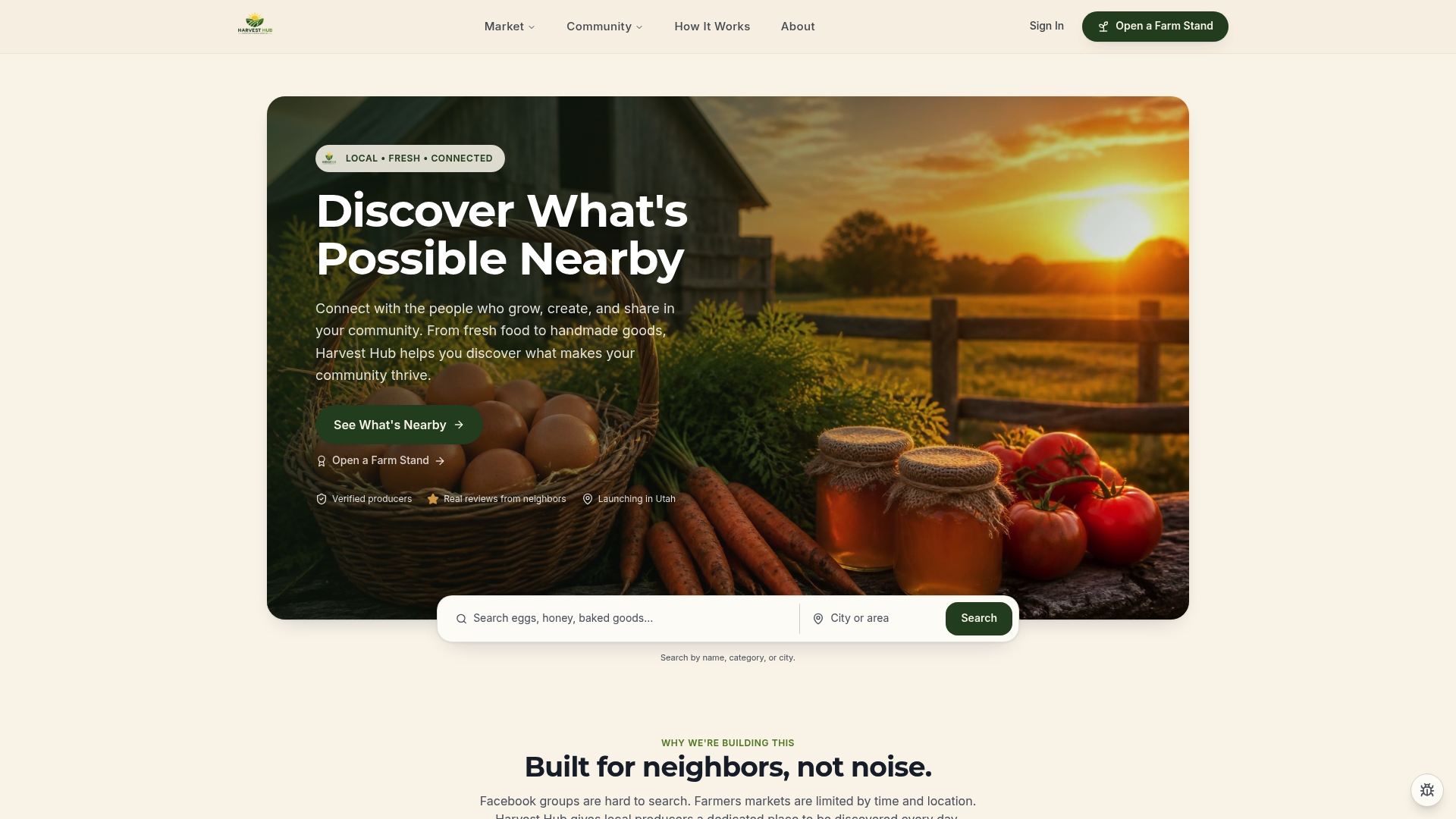
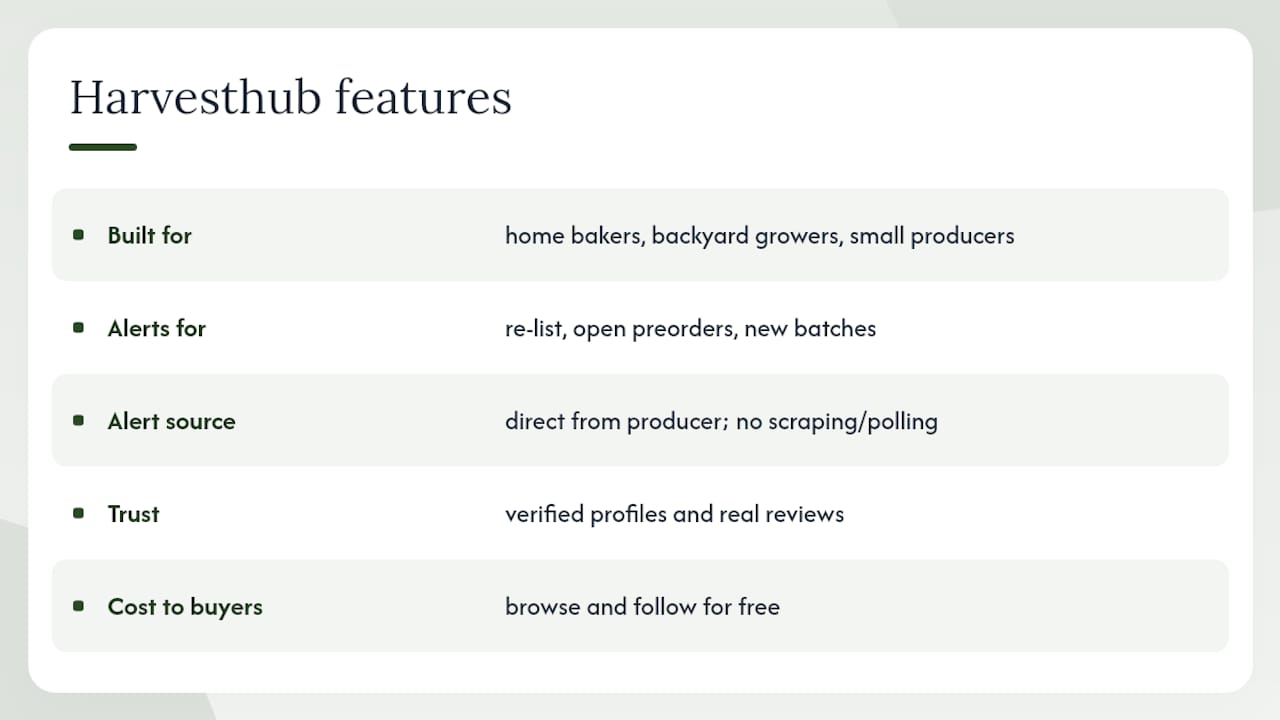
When you follow a producer on Harvesthub, you get notified when they re-list an item, open a preorder, or post a new batch. No extension, no scraping, no polling delay. The alert comes directly from the producer through the platform. Verified profiles and real reviews mean you know exactly who you're buying from before you commit. Buyers browse and follow for free.
If you want to see what that looks like in practice, check out Moon Farms Country Market or FarmBox SF as examples of active producer stands. To start following local producers near you, browse Harvesthub and follow the stands that carry what you want. You'll get notified the next time they have something available.
Sources
- UptimeRobot — Free Back-in-Stock alert
- How to get notified when products are back in stock — Visualping blog
- RestockTracker — Get instant restock alerts
- HotStock — stock finder alerts