

The fastest way to boost your visibility is completing every core listing field, adding one strong hero photo, and locking in accurate live inventory and pricing. That combination, more than any other single change, drives buyers to click your digital farm stand instead of scrolling past it. Profiles, map search, and honest photos work together to earn trust fast.
TL;DR:
- Accurate live inventory counts and clear unit pricing significantly boost buyer trust and reduce overselling issues.
- Updating core listing details daily, especially hours and availability, prevents losing buyers to outdated information.
- Honest, consistent photos with scale cues outperform styled images and create a more believable, trustworthy profile.
- Clear descriptions with harvest dates, packaging details, and specific service areas help buyers make quick, confident decisions.
- Tracking metrics like views, conversion rate, and reorder intervals guides effective testing and listing improvements.
Table of Contents
- Map Listing Optimization Checklist For Producers
- What Should Your Listing Title And Description Say?
- How Do Photos And Packaging Affect Conversion?
- Pricing And Inventory Habits That Bring Buyers Back
- Which Metrics Actually Tell You The Listing Is Working?
- Common Listing Mistakes That Cost You Sales
- A Contributor's Take On What Actually Moves The Needle
- Ready To Open Your Own Farm Stand On Harvest Hub?
- Sources
Map Listing Optimization Checklist For Producers
Run through this before you do anything else. Most listings lose buyers over small, fixable gaps, not big strategic failures.
- Core fields: title, category, address or service area, hours, and pickup/delivery settings all match reality today.
- Photos: a hero shot, a scale/quantity shot, and a packaging shot are all uploaded and current.
- Inventory and pricing: quantities reflect what you actually have, and unit pricing is visible without a buyer having to ask.
- Trust signals: your profile is verified, reviews are visible, and you've replied to recent buyer messages within a day or two.
- One-week test: swap your hero photo or rewrite your title, then watch whether clicks change over the next seven days.
That last step matters more than most producers realize. A detailed, well-structured marketplace listing consistently outperforms a vague one, and you don't need a marketing background to test that yourself. Change one thing, wait a week, look at the numbers.
What Should Your Listing Title And Description Say?
Buyers scanning the map make snap decisions. Your title and description either answer their questions in three seconds or lose them to the next farm stand in the results.
- Write a title that names the product, format, and a relevant date. "Half Dozen Farm Eggs, Dated Weekly" beats "Fresh Eggs" because it tells a buyer exactly what they're getting before they even open the listing.
- Pick a primary category that matches how buyers actually filter, and a secondary one for overlap. If you sell jam, "Preserves" as primary and "Gift Items" as secondary catches both grocery shoppers and gift buyers.
- Open the description with one sentence that summarizes the product, then three bullets covering who it's for, when it was harvested or baked, and how it arrives. This mirrors how you'd treat any digital storefront: state what it is, why it's good, and how to use it, right up front.
- Spell out pickup versus delivery and your actual service area in plain language. Vague radius language ("nearby") loses buyers who aren't sure if you serve their zip code. Farms that map their offerings against specific service areas tend to hold onto local visibility that competitors otherwise claim.
- Add SKU-level attributes for size, weight, certifications, and storage instructions. A dozen eggs at 24 ounces net weight, stored refrigerated, tells a buyer more in five words than a paragraph of marketing language ever could.
Your "About" section deserves the same attention. The advice for Google Business Profile descriptions applies just as well here: state what you offer, what makes it different, and exactly how someone buys from you.
How Do Photos And Packaging Affect Conversion?
Buyers can't taste your tomatoes through a screen. Photos and packaging are doing all the persuading, and most producers underuse both.
Shoot five images per listing: a hero shot, a close-up, a scale or quantity shot (a dozen eggs next to a coffee mug tells more than a caption ever will), a packaging shot, and one showing the product in use, whether that's a recipe photo or a serving suggestion. Skip the styled, over-lit staging. Buyers respond better to honest, consistent photography that shows real variation between batches than to a single perfect photo that sets expectations you can't repeat every week.
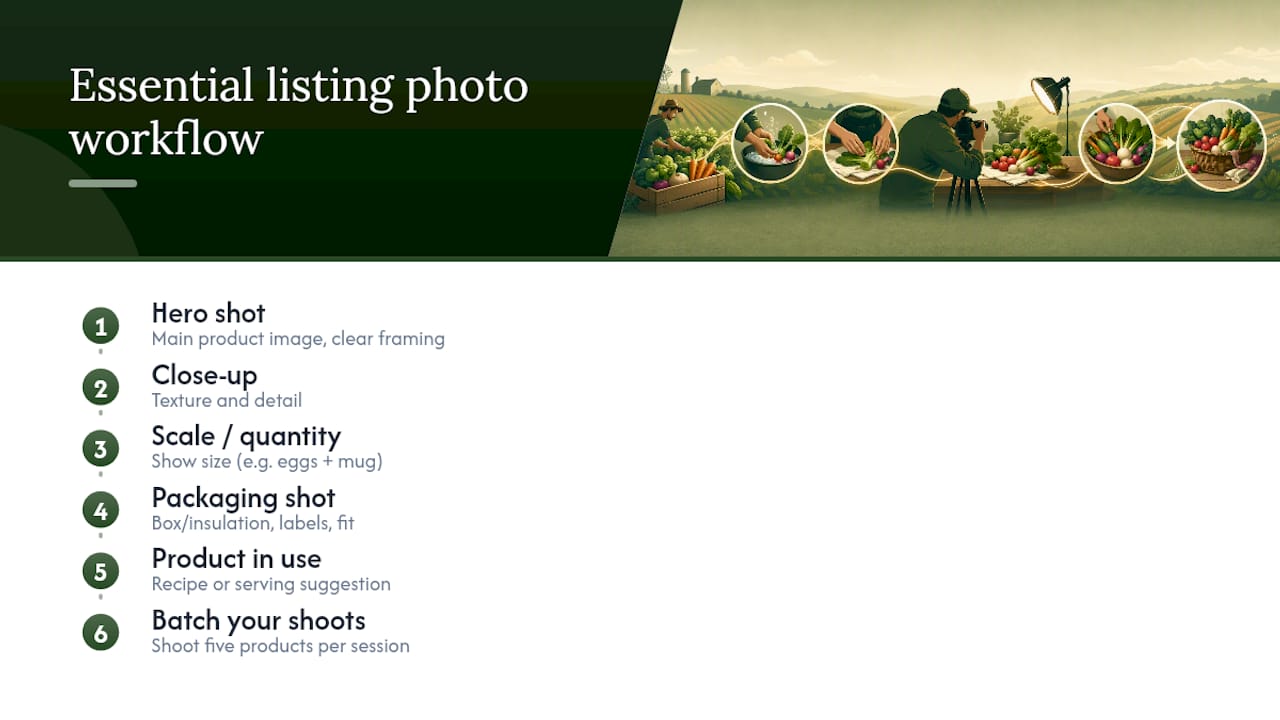
Keep backgrounds consistent across your listings so browsing feels predictable, and always include a scale cue since online shoppers can't judge size otherwise.
Packaging matters just as much as the photo of it. Check box size against product volume, confirm insulation for anything perishable, control moisture for baked goods, and label clearly with contents and date.
Pro Tip: Batch your photo shoots during harvest days. Shoot five products in one afternoon session with the same background and lighting, and you'll have a month of consistent listing photos instead of scrambling for one shot per week.
Pricing And Inventory Habits That Bring Buyers Back
Price transparency and inventory accuracy do more for reorder rates than any promotional push.
- Show unit price and box or unit weight together, so a buyer comparing your $8 pint of berries to another farm's $12 quart isn't left guessing.
- Justify a premium price with specifics: a pack date, a hand-harvested claim, or a small-batch detail gives buyers a reason beyond taste.
- Set inventory counts conservatively and use low-stock flags. Overselling a sold-out item is the fastest way to lose a first-time buyer for good, and conservative live counts with buffer stock protect that trust during your busiest weeks.
- Make subscription terms obvious, covering frequency, skip options, customization, and how to cancel, right on the listing page, not buried in a message thread.
- Bundle slow movers with fast sellers to lift average order value without discounting your best products.
- Send an automated post-purchase message suggesting a reorder date based on typical consumption, especially for consumable goods like eggs or bread.
Which Metrics Actually Tell You The Listing Is Working?
Guessing wastes a season. Tracking a handful of numbers tells you exactly where a listing is losing buyers.
- Views and click-through rate show whether your title and hero photo are earning attention on the map.
- Conversion rate shows whether the listing itself, once opened, convinces someone to buy.
- Average order value and reorder interval show whether pricing and bundling are working, and whether buyers come back on a predictable schedule.
- Review score and refund/cancel rate flag quality or fulfillment problems before they show up in a public review.
Tracking these metrics the way agriculture marketplace sellers do turns guesswork into a two-week or one-month testing cycle: change one variable, hold everything else steady, and check the numbers before you change anything else. Order trends over a season can also tell you what to plant or bake more of next year.
Common Listing Mistakes That Cost You Sales
A handful of small mistakes account for most of the visibility and sales problems producers run into.
- Outdated hours or availability send buyers away the moment they realize the listing hasn't been touched in weeks. Update it the same day something changes.
- A generic title or description leaves buyers unsure what they're actually getting. Rewrite it with harvest date, weight, and packaging specifics.
- A weak hero photo kills clicks before a buyer even reads your description. Replace it with a consistent, honest shot.
- Oversold inventory frustrates first-time buyers immediately. Set conservative counts and turn on low-stock flags.
- Unanswered messages and reviews signal a stand nobody's tending. Reply within a day or two, and add answers to a simple FAQ section on your profile.
A Contributor's Take On What Actually Moves The Needle
Most producers assume better photos alone will fix a slow listing. That's rarely the whole story. A verified profile with real reviews does something a great photo can't: it tells a stranger that others have bought from you and came back. That's the trust signal buyers actually weigh most heavily before checking out for the first time.
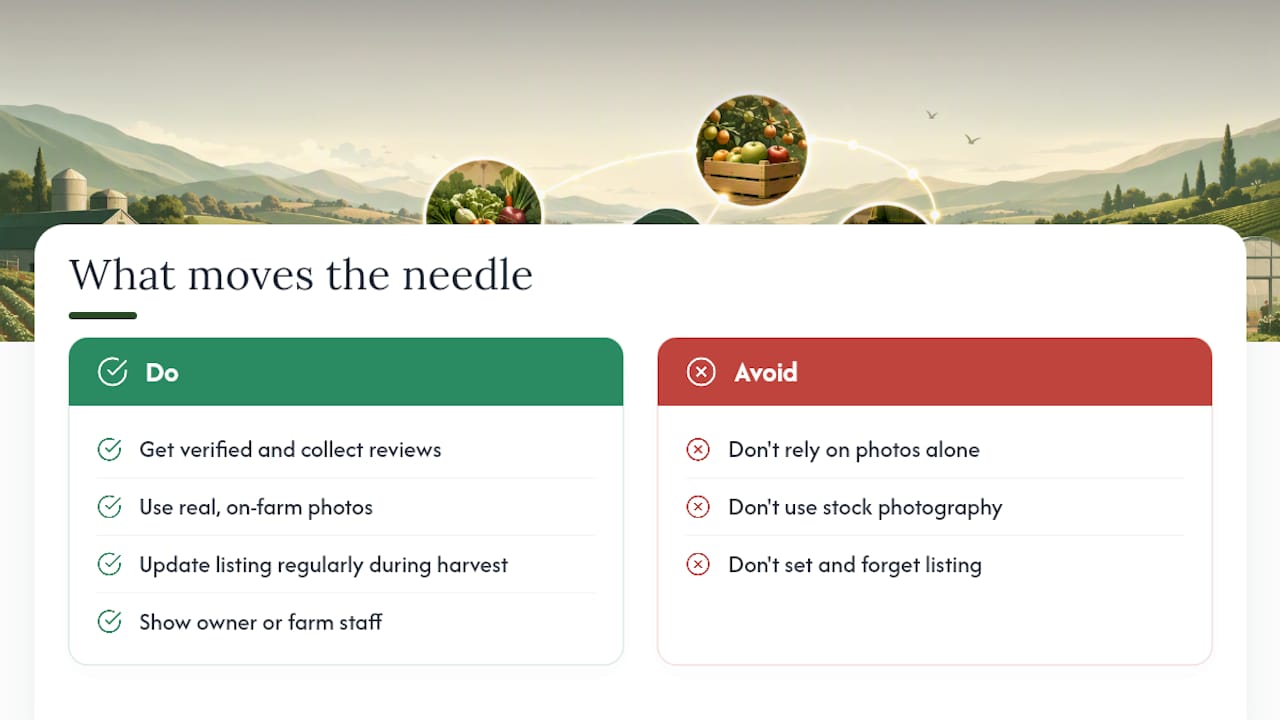
What I'd push back on is the instinct to over-polish. Buyers on a community marketplace aren't looking for stock photography. They're looking for a real farm stand run by a real person, updated often enough to prove someone's paying attention. A listing that's a little rough but honest usually earns more repeat orders than one that's slick but stale.
Treat your listing like a living thing during harvest season, not a page you set once in spring and forget.
— Sheldon
Ready To Open Your Own Farm Stand On Harvest Hub?
This platform gives producers a direct alternative to relying on a physical farmers' market table one day a week. Everything covered here, field-by-field titles, honest photography, live inventory, and trust signals, can live inside your own digital farm stand, open every day instead of a three-hour Saturday window.
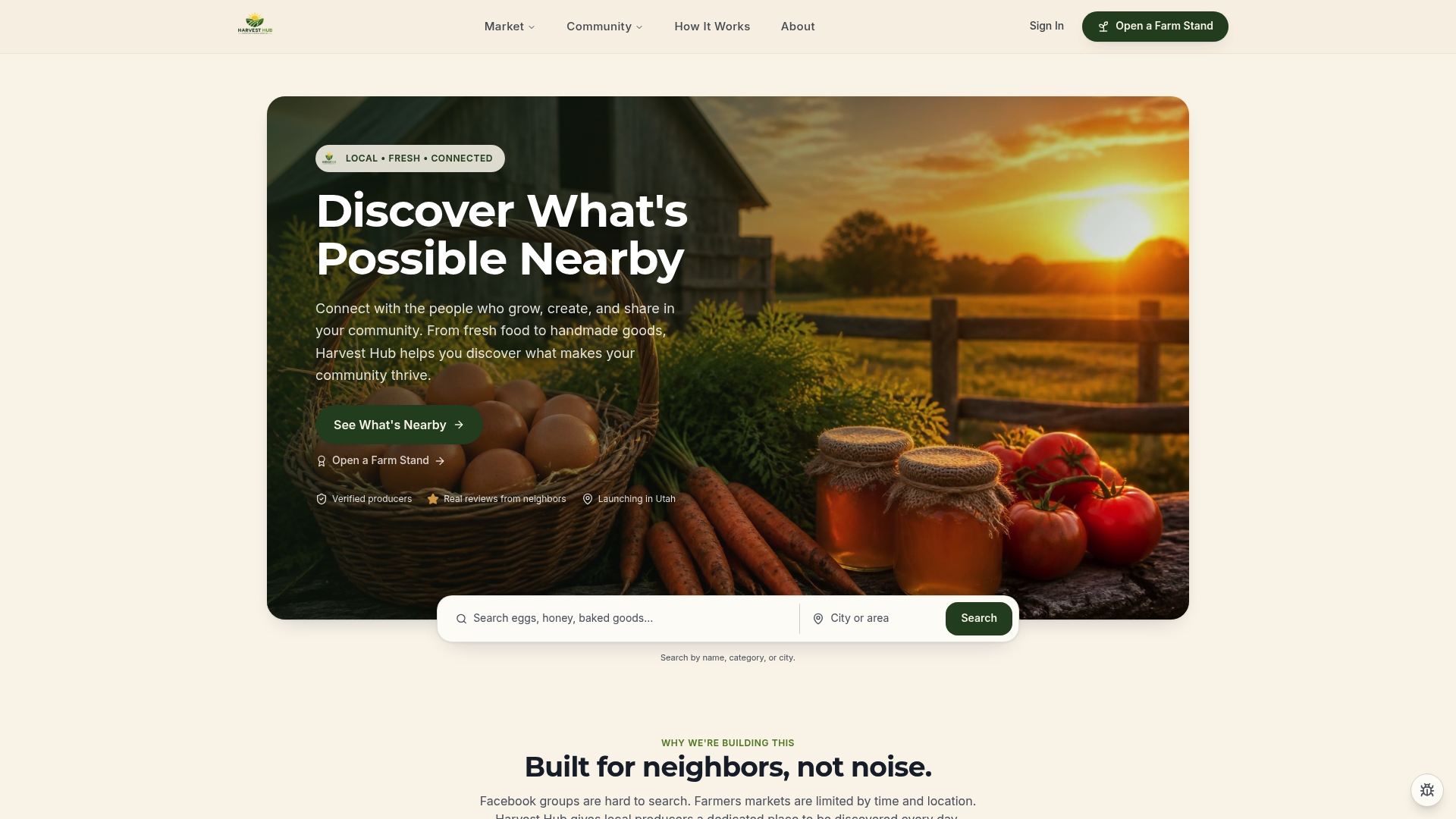
Look at how other producers structure their listings before building your own. Here We Grow Farmstead shows a well-completed profile with clear service-area text, while myFarmstand.com demonstrates strong product attribute detail. If you're ready to apply these fixes to a live listing, open your farm stand today and start with your title and hero photo. Those two changes alone are the fastest path to more clicks this week.
Sources
- Guide: How to Set Up and Manage Your Google Business Profile | Extension
- Optimize your agriculture marketplace listings to win repeat