

Verified seller status is a marketplace's confirmation that you are who you say you are and that your business is legitimate, granted after you submit government ID, banking details, and tax information. Getting it usually starts with one decision: pick the platform you're selling on, then gather your documents before you touch the enrollment form. Skip that prep and you'll stall out on the first screen.
Verified sellers typically see two immediate perks:
- A visible badge that signals trust to buyers browsing search results
- Access to features locked behind verification, like payment processing, promoted listings, or higher shipping limits
That's the whole concept. The rest of this guide covers the platform-specific paperwork, the timeline, the costs nobody mentions upfront, and what to do if your application gets bounced.
Key Takeaways
Verified seller status confirms your identity and business legitimacy, and completing it fastest requires identity documents, bank verification, and accurate tax information submitted together.
| Point | Details |
|---|---|
| Start with the fast wins | Identity and bank verification clear quickest and unlock the most features right away. |
| Match your records exactly | Name and address mismatches between your ID and platform profile cause most rejections. |
| Know your document packet | Keep a government ID, EIN or SSN, and matching bank details ready before you apply. |
| Budget time, not just money | Most platforms don't charge for verification, but delays from resubmissions cost selling days. |
| Verification drives visibility | Badges from TikTok Shop, TCGplayer, and similar platforms directly affect search placement and buyer trust. |
| Harvest Hub simplifies the process | Its verified profiles and Trust Center let small producers get listed and trusted in days, not weeks. |
Etsy: help.etsy.com verification guide. Amazon: Seller Central verification hub. TikTok Shop: badging system overview. Mercari: verification and badges guide. IRS: LLC registration guidance. Harvest Hub: Trust Center.
Table of Contents
- How Do You Verify Your Seller Account on Major Marketplaces?
- What Documents Do You Need for Seller Verification?
- How Long Does Seller Verification Take, and What Does It Cost?
- Why Bother Getting Verified as a Seller?
- What Do You Do if Seller Verification Fails?
- How Does Harvest Hub Verify Its Sellers?
- Frequently Asked Questions
- Sources
How Do You Verify Your Seller Account on Major Marketplaces?
Every marketplace runs its own version of the same basic check: prove your identity, prove your bank account, and sometimes prove your business exists. The documents overlap more than you'd expect, but the sequence and thresholds differ enough to trip up first-timers.
- Etsy. Choose individual or incorporated business status when you set up Etsy Payments. You'll upload a government ID and connect a bank account, often verified instantly through Plaid. Depending on where you're located, Etsy may ask for an SSN or an EIN. Sellers who ignore an information request risk having their payments held, so Etsy's own verification instructions are worth reading before you list a single item.
- Amazon. Global seller onboarding runs through an identity and business verification check that asks for a photo ID, a bank statement, and sometimes a utility bill matching your registered address. Amazon Seller Central's verification hub walks through exactly which document types it accepts, and mismatched addresses are the single biggest reason applications stall here.
- TikTok Shop. Badges come in tiers: Official Accounts, Authorized Sellers, and performance-based Gold Star or Silver Star badges. Earning one depends on your Shop Performance Score and product feedback rate, not just submitting paperwork. TikTok Shop's badging system rewards sellers who already have a track record, so newer shops should treat their first few weeks as a badge audition.
- Mercari. Verification here is lighter: confirm your email, confirm your phone number, then upload a government ID. Complete all three and Mercari awards a profile badge that tends to improve how often your listings surface in search.
- TCGplayer and other hobby marketplaces. These platforms gate their "Verified Seller" filter behind performance, not documents. TCGplayer's criteria include feedback rating thresholds and minimum transaction counts, with top tiers like Gold Star requiring a long, clean selling history.
Pro Tip: Open your bank verification and ID upload at the same time on two different browser tabs. Bank micro-deposits or Plaid confirmations often take longer than the ID review, so running them in parallel shaves real time off your wait.
What Documents Do You Need for Seller Verification?
You'll reuse the same core packet across nearly every marketplace, so build it once and keep digital copies ready.
- A current, non-expired government-issued photo ID, scanned flat with no glare and all four corners visible
- Either your Social Security Number as a sole proprietor or an Employer Identification Number if you've formed an LLC (the IRS guidance on LLC registration explains when an EIN is required versus optional)
- Bank account details where the account holder name matches your seller profile name exactly, since mismatches are a top rejection cause
- Contact information, a storefront logo, and, on some platforms, an Ultimate Beneficial Owner disclosure if your business has multiple owners
Small mismatches sink otherwise-clean applications more often than missing paperwork does. If your bank account is under a business name but your profile says your personal name, fix that before you submit anything.
How Long Does Seller Verification Take, and What Does It Cost?
Most sellers clear verification the same day to a couple of weeks, depending on the platform and how clean your documents are. Bank micro-deposits, ID re-uploads, and address mismatches are the usual causes of delay.
- Direct fees: most platforms don't charge for basic identity verification, though some premium badges or expedited review services carry a cost
- Business registration: forming an LLC or getting an EIN is typically free through the IRS but may involve state filing fees
- Indirect costs: replacing an expired ID, paying a bookkeeper to sort tax documents, or losing sales while your listings sit unverified
Budget time more than money. The paperwork itself rarely costs much, but a rejected application that sends you back to square one costs you selling days.
Why Bother Getting Verified as a Seller?
A verified badge does more than decorate your profile. It's a search and trust signal that changes how often buyers see your listings and how comfortable they feel clicking "buy." Verified Seller status also isn't the same thing as Verified Buyer status on review platforms, which confirms a purchase happened rather than confirming who's selling. Sellers sometimes conflate the two, but buyers rely on both differently.
Verification increasingly functions as a growth lever rather than a compliance checkbox. Platforms tie verified status to expanded visibility, access to protective seller programs, and eligibility for promotional placement, according to industry analysis of seller badge programs.
Filters like TCGplayer's Verified Seller badge or TikTok Shop's Gold Star only surface sellers who've cleared these bars, which means unverified competitors are often invisible in the exact searches you want to win.
What Do You Do if Seller Verification Fails?
Rejections almost always trace back to one of three things: your name or address doesn't match your ID, your ID has expired, or a required tax document is missing.
- Re-scan your ID in good lighting and confirm the name matches your account exactly, including middle initials.
- Cross-check your address against IRS records or a recent utility bill if the platform flags an address mismatch.
- Open a support ticket and be ready to supply a second document, since most platforms ask for one additional piece of evidence, not a full resubmission.
Most fixable rejections clear within one resubmission cycle if you address the specific flag rather than resending the same file.
How Does Harvest Hub Verify Its Sellers?
Harvest Hub runs verification the way small producers actually need it: fast enough that a weekend baker can get listed before the next farmers market, thorough enough that neighbors trust the badge. Every producer profile pairs a verification check with real buyer reviews, both explained on the Trust Center.
Setting up your farm stand asks for a handful of concrete things:
- A photo ID and basic contact details to confirm you're a real person selling real goods
- Photos of your farm, garden, or kitchen setup for your storefront
- A short description of what you produce and how often you restock
Pro Tip: Upload your storefront photos before you submit for verification. Profiles that launch with real photos, like Moon Farms Country Market or FarmBox SF, tend to earn their first reviews faster than blank profiles do.
Where should you spend your first hour on verification?
Start with identity and bank verification. Those two steps clear fastest and unlock the most features immediately. Hold off on forming an LLC or getting an EIN until a platform specifically requires it. For anyone selling regularly through community marketplaces, that sequencing saves the most time for the least effort.
Get Your Farm Stand Verified and Selling on Harvest Hub
Harvest Hub is the direct alternative to cobbling together your own website, a payment processor, and a review system from scratch. You get a verified profile, a built-in Trust Center, and a storefront template built for people selling eggs, garden starts, and baked goods, not enterprise inventory. 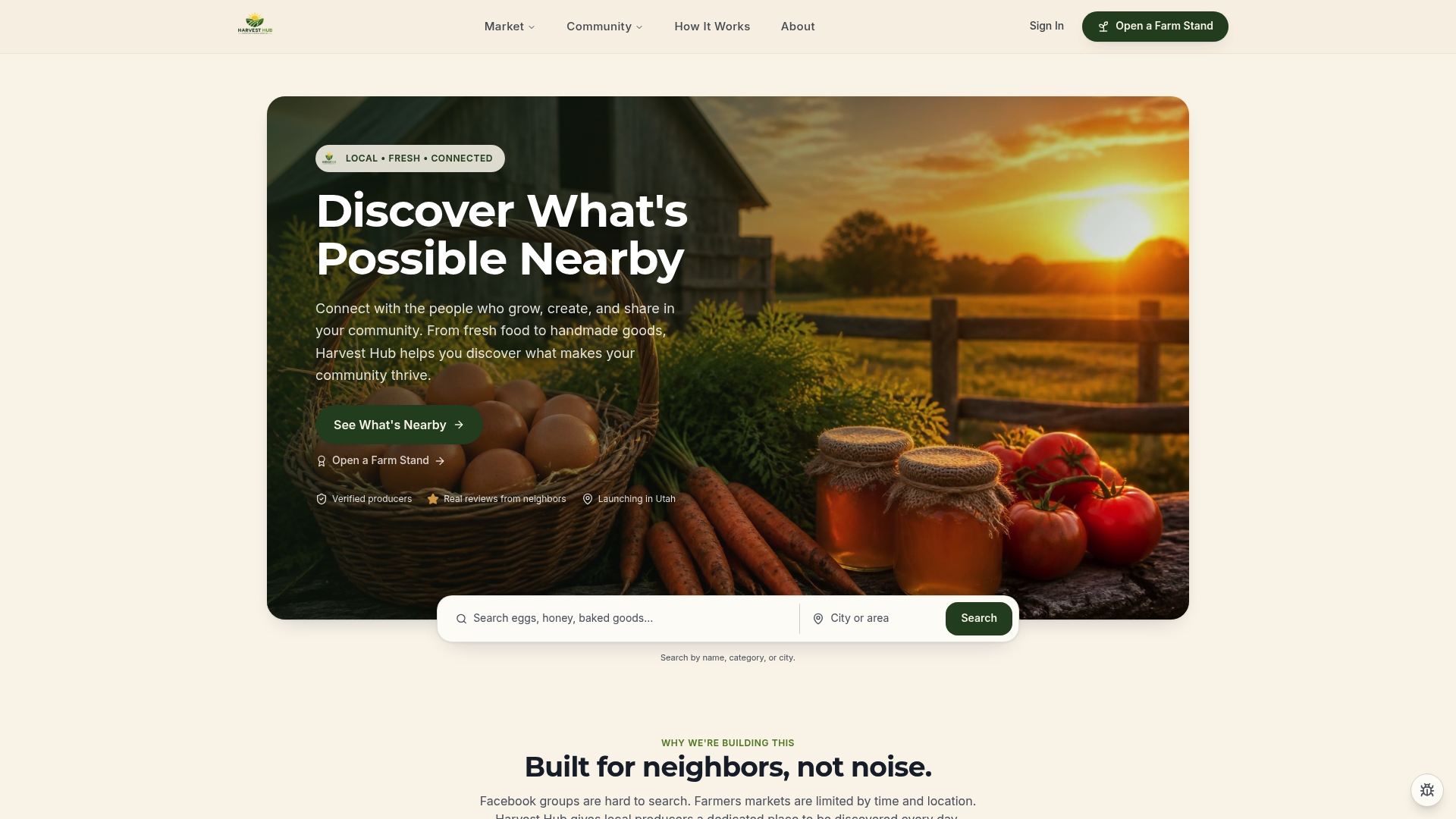
Producers like Em Farms and Sweet Home Meats, LLC went from paperwork to a live storefront in days, not weeks, because the verification flow only asks for what a small seller can realistically provide. Founding members also get early access to premium storefront features through the Producer Pro plan, at no extra cost during the current early-access window.
If you're ready to stop losing sales to time and location limits, open a farm stand and get your profile verified this week.
Frequently Asked Questions
What does "get verified seller" actually mean on most marketplaces? It means a platform has confirmed your identity and, in many cases, your business legitimacy through ID checks, bank verification, and sometimes tax documentation, before granting a visible badge or unlocking selling features.
How to verify a seller account without an LLC? Most platforms accept sole proprietors using a Social Security Number instead of an EIN. You only need an LLC or EIN if the marketplace specifically requires business-entity documentation, which is not universal.
Do you need to re-verify if your bank account changes? Yes. Updating your bank details on most marketplaces triggers a new round of account verification, often through the same micro-deposit or instant-link method used the first time.
Why did your seller verification get rejected? The most common causes are a name or address mismatch between your ID and your profile, an expired ID, or a missing tax document. Fixing the specific flagged item usually resolves it on resubmission.
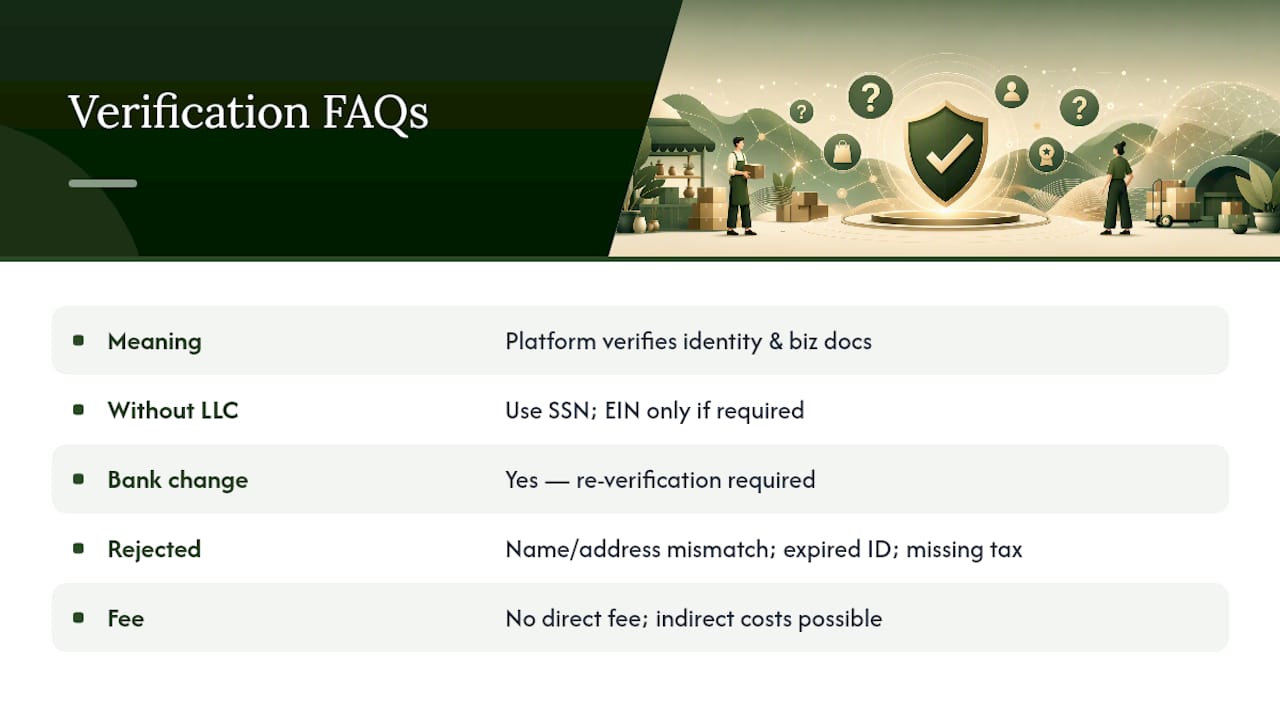
Is there a fee to become a verified seller? Most marketplaces don't charge a direct fee for basic identity verification. Costs usually come from indirect sources, like business registration fees or replacing an expired ID.
Sources
- How to Verify Your Seller Information for Etsy Payments – Etsy Help
- Global seller identity, address, and business verification — Amazon Seller Central
- What does "Verified Seller" mean? – TCGplayer.com
- TikTok Shop launches new badging system to signal high-quality and trustworthy sellers