

Ask within 24–48 hours and send a single-tap review link. That one move, done consistently, is how small businesses build a steady stream of genuine customer reviews without awkward conversations or complicated software.
Why it works: timing and friction are the two biggest obstacles between a happy customer and a published review. When you ask at peak satisfaction and remove every extra click, most customers who liked their experience will follow through.
Quick-start templates you can use today:
- SMS: "Hi [Name], thanks for visiting [Business]! Would you take 30 seconds to leave us a Google review? [direct link] Reply STOP to opt out."
- In-person: "We'd really appreciate a quick Google review if you have a minute. Here's the link on this card."
Send one follow-up if you get no response after 5–7 days. One reminder only. Repeated requests produce diminishing returns and can trigger spam complaints.
Pro Tip: Tag each review link with a UTM parameter or use a short URL (Bitly, Rebrandly) so you can see which channel drives the most responses.
Key Takeaways
Asking for reviews works when you ask at the right moment, remove friction with a direct link, and stay within platform rules every time.
| Point | Details |
|---|---|
| Ask within 24–48 hours | Satisfaction fades fast; same-day or next-day requests get the highest response rates. |
| Use a direct link or QR code | One tap to the review form removes the friction that stops most customers from following through. |
| One follow-up only | Send a single reminder 5–7 days later; repeated requests increase opt-outs and spam complaints. |
| Respond to every review | Reply within 48 hours to show future customers you listen, and to recover unhappy ones. |
| Harvesthub for local sellers | Verified buyer reviews on your Harvesthub farm-stand page build community trust and drive repeat sales. |
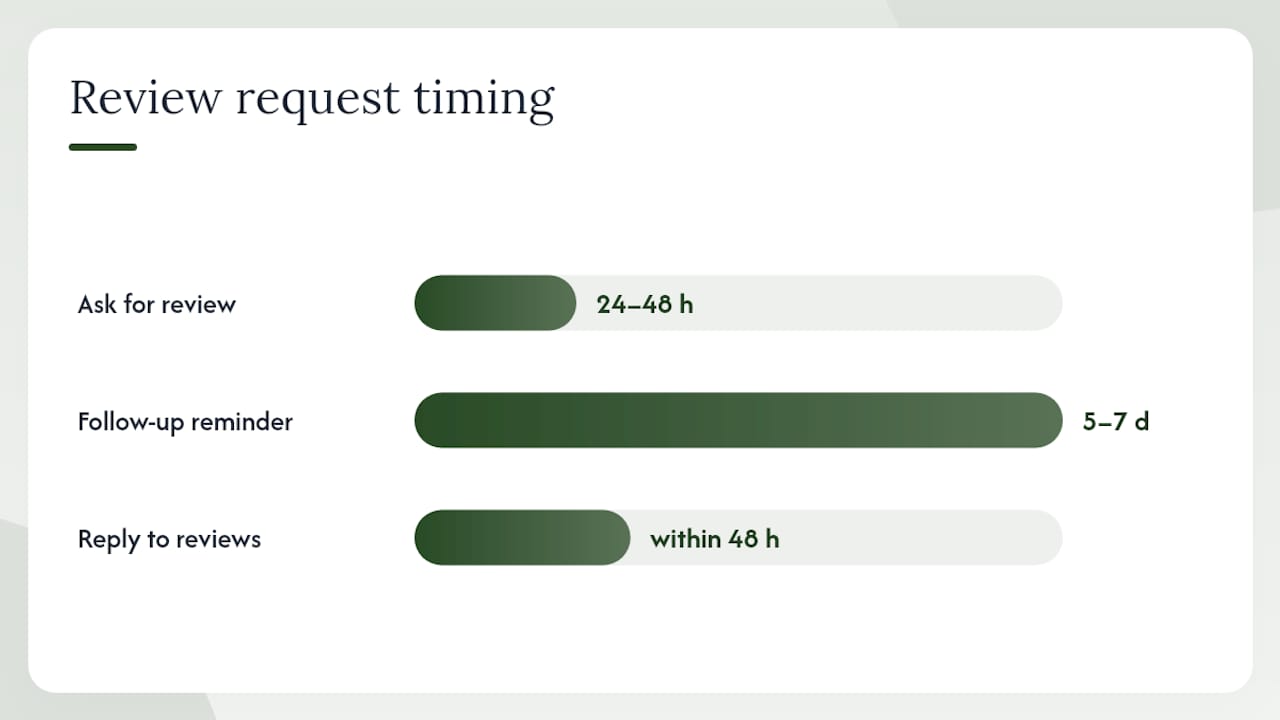
Table of Contents
- How do you get a direct review link or QR code?
- Which channel and moment gets you the most reviews?
- Copy-paste templates for every channel
- What are the rules for asking customers for reviews?
- How should you respond to reviews?
- Why honest reviews are the only reviews worth having
- Harvesthub makes it easier to collect and display reviews
- Sources
How do you get a direct review link or QR code?
Removing friction starts with giving customers a link that opens the review form directly. Here's how to generate one for each major platform.
Google Business Profile (step-by-step)
- Sign in to your Google Business Profile at business.google.com.
- Select your business location.
- Click Ask for reviews in the left menu or the Home card.
- Copy the short review link Google generates.
- To create a QR code, click Download QR code on the same page (desktop browser only).
- Save the PNG file and print it on receipts, counter cards, packaging inserts, or table tents.
Where to share your Google review link:
- Email signature and automated post-purchase emails
- SMS follow-up messages
- Printed receipts and invoices
- Counter signage and table tents
- Your website's footer or contact page
Facebook and Yelp: quick notes
Facebook: Go to your Facebook Business Page, click Reviews (or Recommendations) in the left menu, then copy the page URL and append /reviews. Share it in messages or post-purchase emails.
Yelp: Search your business on Yelp, copy the business page URL, and add ?return_url=%2Fbiz%2F[your-biz-id]#write-review to deep-link to the review form. Yelp's audience skews toward restaurants, salons, and service businesses, so prioritize it when those categories match yours. Note that Yelp explicitly discourages businesses from soliciting reviews in bulk.
Pro Tip: Label each QR code placement ("Scan to review us on Google") so customers know exactly what happens when they scan. Unlabeled QR codes get ignored.
Which channel and moment gets you the most reviews?
The right channel depends on your business type and where your customers are most reachable. Timing matters as much as the ask itself: ask too early and the experience isn't fully formed; ask too late and the moment has passed.
Channel-by-channel guidance:
- In-person: Best for retail, food, and service businesses. Ask right after a compliment or at checkout while the experience is fresh.
- SMS: High open rates and fast responses. Best for appointment-based businesses (salons, contractors, auto repair). Requires 10DLC registration and a STOP opt-out in every message.
- Email: Most flexible for personalization and automation. Best for e-commerce, B2B, and subscription businesses. Works well 1–3 days post-purchase for products, 9–14 days for B2B relationships.
- Receipts and packaging inserts: Passive but persistent. A QR code on a receipt reaches customers who didn't engage with your email.
- Phone: Effective after a support call that ended well. Keep it brief: "I'm glad we resolved that. Would you be willing to leave a quick review?"
- Social media: Low conversion but good for warm audiences. Post a direct link with a clear ask in your caption.
| Business type | Best channel | Best timing |
|---|---|---|
| Retail / farmers market | In-person + receipt QR | At checkout |
| Restaurant / café | In-person + SMS | Same day |
| Home services | SMS + email | Within 24 hours of job completion |
| E-commerce | 1–3 days post-delivery | |
| B2B / professional services | 9–14 days post-project | |
| Appointment-based | SMS | 1–2 hours after appointment |
Pro Tip: SMS review requests require 10DLC registration with your carrier and a STOP opt-out line in every message. Skipping this risks carrier filtering and FCC complaints. One follow-up message is the maximum — send it 5–7 days after the first ask if you get no response.
Copy-paste templates for every channel
These are short on purpose. Long messages get ignored.
In-person scripts:
- After a compliment: "That's great to hear! If you have a minute, a Google review would mean a lot to us. I can text you the link right now."
- At checkout: "Thanks so much! We'd love a quick review if you're willing. Here's a card with the QR code."
SMS templates:
- "Hi [Name]! Thanks for choosing [Business]. Mind leaving us a quick Google review? It takes under a minute: [link]. Reply STOP to opt out."
- Follow-up (5–7 days later): "Hey [Name], just a gentle reminder — a quick review really helps our small business. [link]. Reply STOP to opt out."
Phone script:
- "Before I let you go, would you be open to leaving a quick review? I can send you the link by text or email right now."
Email templates:
- Short personal ask: "Hi [Name], thank you for your recent purchase. If you have 60 seconds, a review on Google helps other local shoppers find us: [link]. No pressure at all."
- Post-purchase automation: "Your order is on its way! Once it arrives, we'd love to hear what you think. Leave a review here: [link]."
Receipt / packaging insert:
Social post:
Most customers will leave a review when asked — the main barriers are timing and friction, not reluctance. These templates remove both.
What are the rules for asking customers for reviews?
Getting reviews the wrong way can get your listing penalized or removed. Here's what to do and what to avoid.
Do:
- Ask every customer, not just the ones you think are happy (gating is against platform rules).
- Keep the ask short, honest, and link-first.
- Respond to every review, positive or negative.
- Use a direct link so customers land on the review form, not your homepage.
Don't:
- Offer discounts, gifts, or any reward in exchange for a review.
- Ask for a specific star rating ("Please give us 5 stars").
- Post fake reviews or ask employees to review the business.
- Ask customers to remove or change a negative review in exchange for compensation.
Google's policy is clear: "Contributions should be based on real experiences and information. Incentivizing customers to leave positive reviews is prohibited." Yelp goes further and discourages any direct solicitation of reviews.
The FTC and platform enforcement of fake and incentivized reviews has intensified. Violations can result in listing suspension, fines, or public disclosure of the penalty.
Pro Tip: A general loyalty program (points for purchases, not for reviews) is fine. The line is crossed when a reward is conditioned on leaving a review or on leaving a positive one. Keep the two completely separate.
How should you respond to reviews?
Responding to reviews signals to future customers that you're paying attention. It also gives you a second chance with unhappy ones.
Response workflow:
- Set up email or app notifications so you see new reviews within hours.
- Respond to every review within 48 hours.
- For negative reviews, take the conversation offline: acknowledge publicly, then offer a direct contact.
- Log recurring complaints as product or service improvement notes.
- Escalate reviews that mention safety or legal issues to management immediately.
Templates:
- Positive: "Thank you, [Name]! We're so glad you enjoyed [specific item/service]. We look forward to seeing you again."
- Neutral: "Thanks for the feedback, [Name]. We'd love to hear more about how we can improve. Feel free to reach out at [email/phone]."
- Negative: "We're sorry to hear about your experience, [Name]. This isn't the standard we hold ourselves to. Please contact us at [email] so we can make it right."
Pro Tip: After resolving a complaint privately, it's fine to reply to the original review: "We're glad we could resolve this for you. If you'd like to update your review to reflect the outcome, we'd appreciate it." Never pressure or incentivize the update — just make the offer once.
Why honest reviews are the only reviews worth having
There's a version of review-chasing that looks productive on paper: a burst of five-star ratings, a polished average, a tidy profile. What it doesn't produce is trust. Customers who read reviews regularly can spot a curated set. The language is too uniform, the timing too clustered, the complaints conspicuously absent.
The local businesses that build lasting reputations do something simpler: they ask everyone, respond to everything, and treat a negative review as a free quality audit. A two-star review that gets a thoughtful, specific response often does more for a business's credibility than five more five-star ratings would.
Collect reviews for the public platforms, but also pull your best testimonials onto your own channels — your website, your seller profile, your email footer. Owned channels don't disappear when a platform changes its algorithm.
Harvesthub makes it easier to collect and display reviews
Local producers on Harvesthub get something most review platforms don't offer: verified buyer reviews tied directly to a seller profile that neighbors can browse any day of the week. When a customer buys eggs from your farm stand or picks up a jar of honey, Harvesthub's platform lets you prompt a review right at the point of sale and display it on your public seller page.
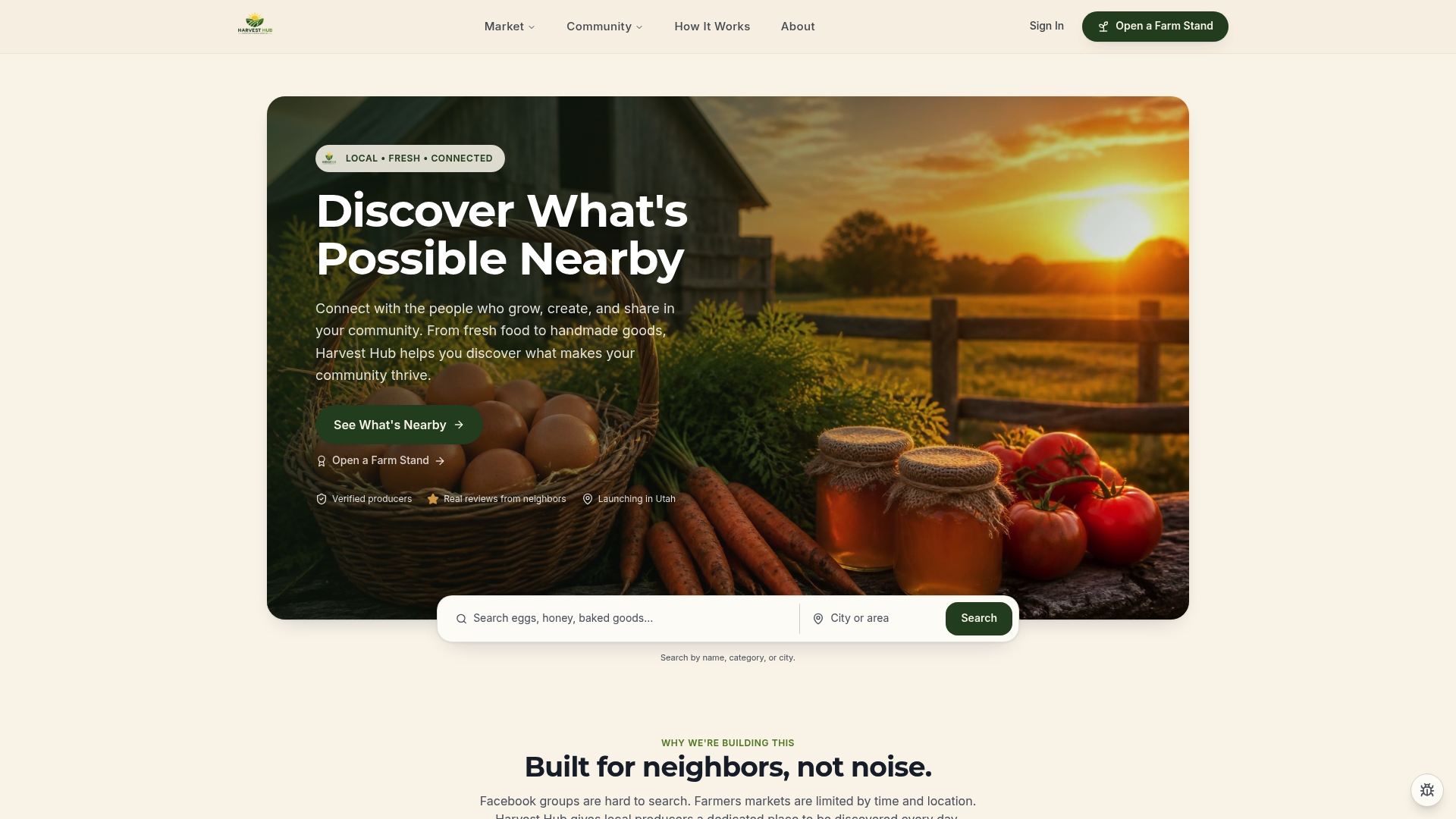
Sellers like those on Detwiler's Farm Market Venice and Farm Shop at Greenbank Farm show how a well-maintained profile with real buyer reviews builds the kind of local trust that drives repeat sales. You can add a review CTA directly to your farm-stand page, link it from your packaging or receipts, and let the Harvesthub Trust Center handle verification so buyers know the feedback is genuine.
Ready to put your reviews to work? Open your farm stand on Harvesthub and start collecting verified reviews from your community today.
Sources
- Create a Google link or QR code to request reviews - Google Business Profile Help
- How To Ask Customers for Reviews Without Breaking the Rules
- How to Ask for a Review: Timing, Templates, and